
Appearance
Play Integrity
Google Play Integrity is used by banking apps, Google Wallet, RCS messaging, and certain other apps to verify that your device hasn't been tampered with.
Integrity levels are categorized into three tiers:
- MEETS_BASIC_INTEGRITY: Passes basic software checks.
- MEETS_DEVICE_INTEGRITY: Passes device certification checks (required for Google Wallet and most apps).
- MEETS_STRONG_INTEGRITY: Passes hardware-backed key attestation checks (required for very very strict banking and government apps).
POCO X4 GT / Redmi Note 11T Pro+ (xaga) Strong by Default
On xaga, you get Strong Integrity (MEETS_STRONG_INTEGRITY) out of the box by default!
Thanks to the Fenrir exploit, xaga is able to pass hardware-backed attestation natively without needing to manually importing keyboxes.
Redmi Note 11 / 11 NFC (spes) Basic by Default
By default, spes ships with Basic Integrity out of the box. To achieve Strong Integrity alongside with Device Integrity, you need to import a valid keybox.xml file in Developer options.
Where to Get a Free Keybox
The current community-recommended place to get a free working keybox.xml is:
How to Import a Keybox on spes
Enable Developer Options:
- Open Settings → About phone.
- Scroll to the bottom and tap Build number 7 times until you see "You are now a developer!".
Import the Keybox XML:
- Go to Settings → System → Developer options.
- Scroll down to the Apps section.
- Tap Configure keybox XML and select the downloaded
keybox.xmlfile from your storage.
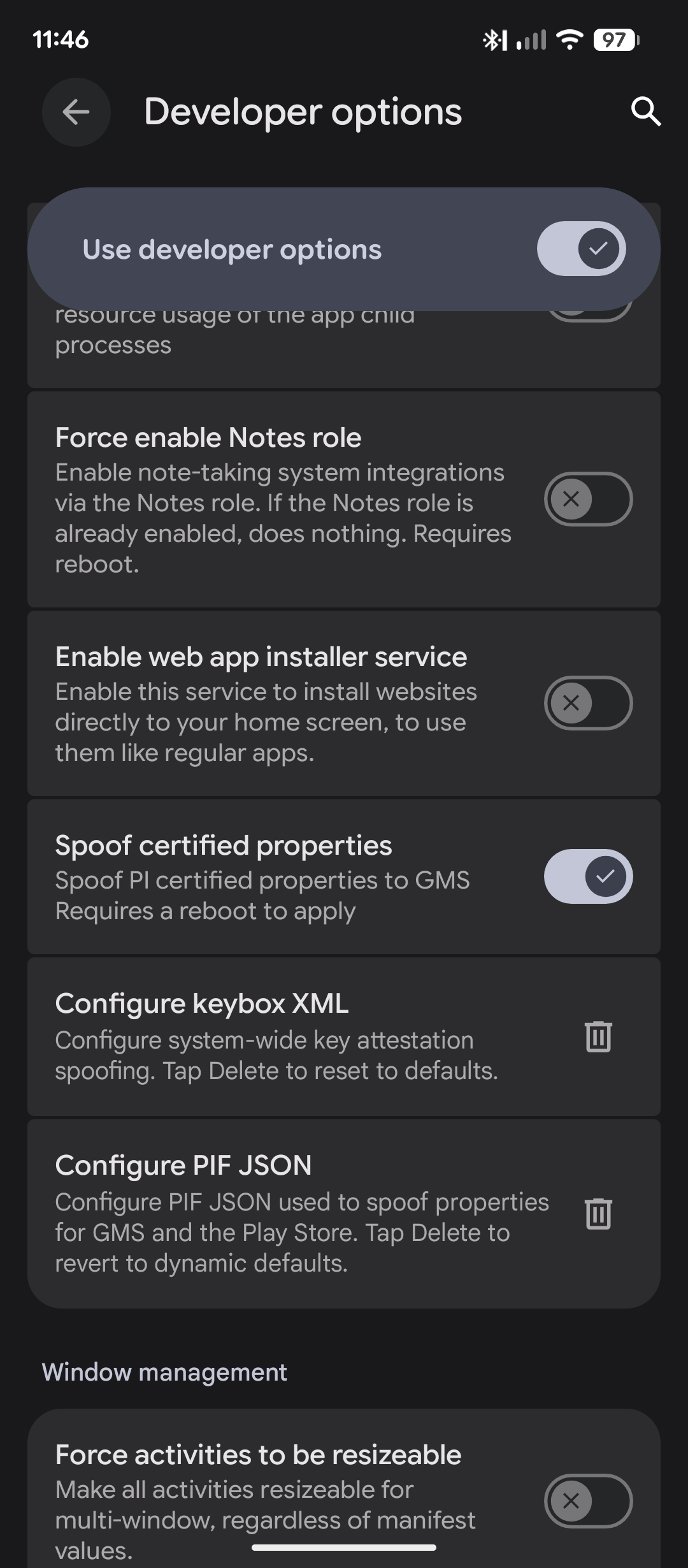
You Can Disable Developer Options Afterwards
Once you have imported your keybox.xml, you can safely turn off Developer options using the toggle at the top of the menu. The imported keybox will continue to work in the background, and disabling Developer options helps when certain banking apps detect developer mode!